Useful Things to know in ARCserve
How do I save job scripts if I want to quickly recall some backup jobs I did earlier?How do I tell ARCserve to backup everything but a certain file (filters)?
How do I use drive image?
How do I save job scripts if I want to quickly recall some backup jobs I did earlier?
Right before a job hits the job manager, a summary screen will appear.
It should look like the following.
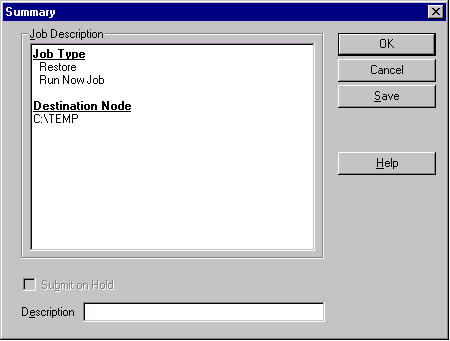
Click the "save" button to save the job into a file.
In the "Save Job Script" window select the directory to save to and the file name of the job script. Also, enter in a description of the Job if desired. Click the "Save" button to continue.
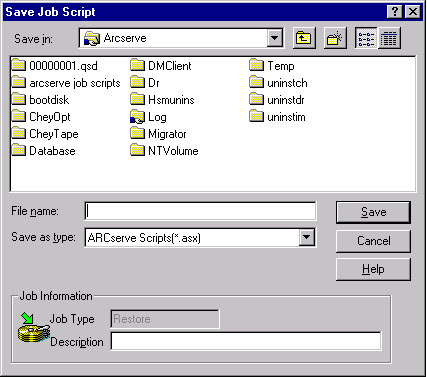
The backup/ restore job will continue as normal.
When you want to recall this job, click on the "Add job" icon in the
Job Manager.
How do I tell ARCserve to backup everything but a certain file (filters)?
If you want to exclude (or include certain files), use the filters option when selecting the source. In the backup manager, select the computer you want to place a filter on and right click on the computer. Select Filter from the list of options.
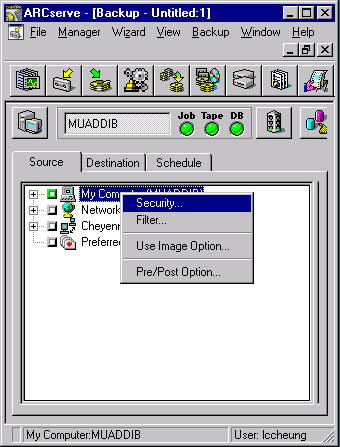
In the Filter dialog select "exclude" instead of "include." Add
the name of the excluded files in the field next to the "File Pattern"
box. Then Click on the button "Add."
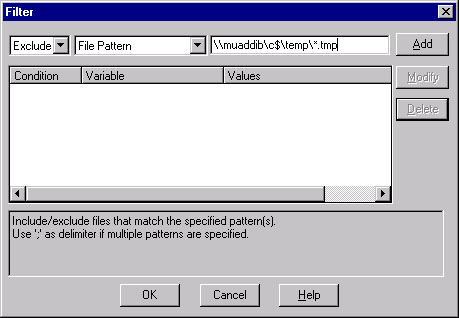
That condition should be added, as seen in the main window below.
Type more names in the name field to add more conditions.
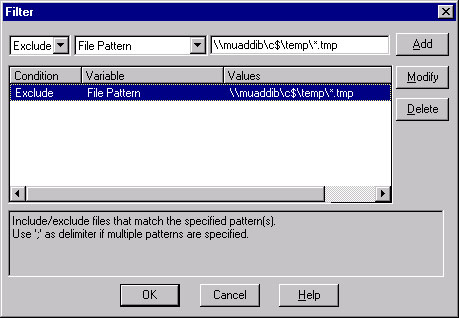
Press OK when the filters have been added. Then proceed with the backup as normal.
How do I use drive image?
Using drive image assumes that you have installed the Drive Image option to Cheyenne's ARCServe Manager. Drive image allows the user to quickly backup a local drive by taking a "snapshot" of the current state of the harddrive.
In the backup manager, click on the Drive Image  icon to start the Image Backup Wizard. It should present the following
window.
icon to start the Image Backup Wizard. It should present the following
window.
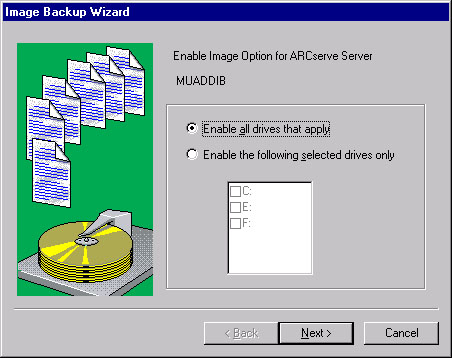
Select "Enable all drives that apply" to have ARCServe use Drive image wherever it applies. Click on "Enable the following selected drives only" to use Drive Image only on specific drives. Then click on Next to continue.
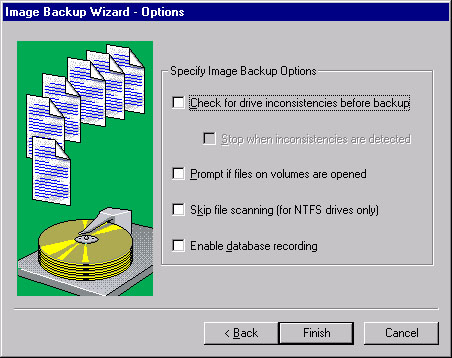
Specify the Image Backup Options in the next secreen. Then click
on Finish to resume the backup operation as normal.