Take accurate drawings to manufacturing
CoCreate’s full support of standards facilitates design-for-manufacturing in different ways, such as support of Windows objects, tight integration of SolidDesigner and ME10 that allows rapid generation of drawings, support of Bill of Materials.
SolidDesigner, in combination with the Annotation
module gives you a complete solution to design your
part and go to manufacturing using high quality 2D
drawings derived from the 3D model.
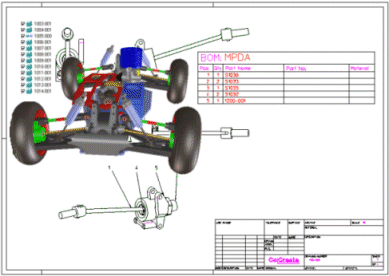
What does it mean for you? Shorten the engineering phase as you implement 3D processes in the engineering cycle, and integrate these new processes smoothly with existing, well-established 2D processes. You work together with 3D solutions in a way that ensures the preservation of all data.
Description
In this section, you will learn how to derive 2D documentation of sub-assemblies, position bullets and bill of material, as well as export this documentation to ME10 in case your well-established manufacturing process integrates ME10.
Tips and Hints
- Click on the pictures where indicated to discover the benefits brought to your work by SolidDesigner
 Watch out this icon to access the ready-to-use
model or file.
Watch out this icon to access the ready-to-use
model or file.