Your design process relies on accurate 2D documentation!
For this, you need accurate data derived from the 3D model, and complete associativity between 3D and 2D. SolidDesigner provides the right capabilities
What does it mean for you? You don't have to worry about tracking revisions to your drawing after you have made modifications to the 3D model, or about spending time updating the 2D documentation manually. The associated documentation is updated automatically when you need it, and all dimensioning and styles are maintained throughout the design process.
You can create your 2D documentation in parallel with your 3D model. If you do this, the final drawing will be ready for use by your downstream applications .
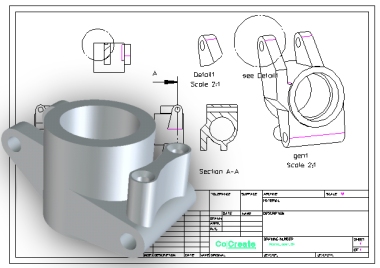
Description
In this section, you will learn how to quickly create a complete set of parallel 2D documentation to accompany the newly created part, using familiar drawing and dimensioning commands designed for mechanical engineers by mechanical engineers.
And because unforeseen changes are sure to occur in your day-to-day work, you will learn how easy it is to update your 3D part and 2D documentation in parallel. You will see how this 3D/2D associativity saves time by eliminating repetitive tasks and documentation processes.
Tips and Hints
- Click on the pictures where indicated to discover the benefits brought to your work by SolidDesigner
 Watch out this icon to access the ready-to-use
model or file.
Watch out this icon to access the ready-to-use
model or file.